Manage your security preferences
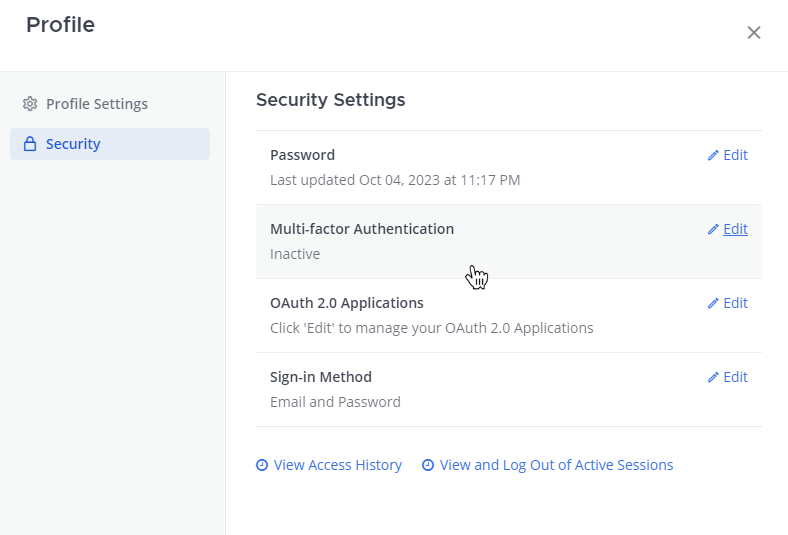
Select your profile picture, select Profile, and then select Security to configure your password, view access history, and to view or logout of active sessions.
| Security setting | Description |
|---|---|
| Password | You may change your password if you've logged in by email using Origin by Corvus in a web browser or using the desktop app. |
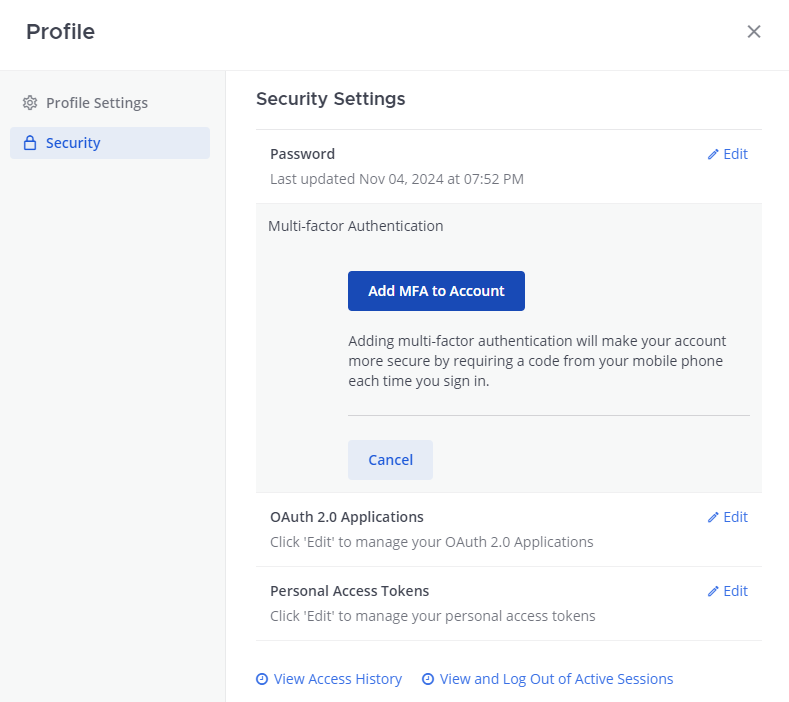
| Multi-factor authentication (MFA) | If your system admin has enabled multi-factor authentication (MFA), you can require a passcode in addition to your password to log-in to your Origin by Corvus account. You'll need to download a MFA passcode generation app, such as Google Authenticator or a similar app, and then set-up MFA in your Origin by Corvus account. Download a passcode generation app
Enable MFA in Origin by Corvus
|
| Sign-in method | This option allows you to switch your login method between using email/username and password and single sign-on credentials. You can configure this setting using Origin by Corvus in a web browser or using the desktop app. |
| View access history | Using Origin by Corvus in a browser or using the desktop app, you can access a chronological list of the last 20 login and logout attempts, channel creations and deletions, account settings changes, or channel setting modifications made with your account. The details of the Session ID, which is a unique identifier for each Origin by Corvus browser session, and IP Address of the action is recorded for audit log purposes. |
| View and log out of active sessions | Sessions are created when you log in with your credentials a new browser on a device. Sessions let you use Origin by Corvus for up to 30 days without having to log in again. Using Origin by Corvus in a browser or using the desktop app:
|