Customize your Origin by Corvus theme
The colors of the Origin by Corvus user interface are customizable. You can choose from five standard themes designed by Origin by Corvus, or design your own custom theme. Your theme changes apply to all teams you're a member of, and are visible across all Origin by Corvus clients. Origin by Corvus Enterprise customers can configure a different theme for every team they're a member of.
- Web/desktop
- Mobile
Select the Settings  icon, then go to Display > Theme. Select Theme Colors to choose from five standard themes designed by the Origin by Corvus team.
You can customize a standard theme further to truly make it your own. After selecting a standard theme, select Custom Theme and modify your color choices based on your preferences. See the custom themes documentation to learn what's configurable, and see the custom theme examples documentation for inspiration.
Tap Theme to select one of 5 standard Origin by Corvus themes.
Custom themes
Select Custom Theme, then expand the Sidebar Styles, Center Channel Styles, and Link and Button Styles options to customize individual interface colors, such as backgrounds, links, text, and borders.
Your custom theme changes are applied in Origin by Corvus as you make them. Select Save to confirm your theme changes. Discard your changes by exiting the Display Settings window and selecting Yes, Discard.
Custom theme examples
Customize your theme colors and share them with others by copying and pasting theme values into the input box. Below are some example themes with their corresponding theme values.
Origin by Corvus

Want this theme? Copy and paste the following code into Origin by Corvus:
{"sidebarBg":"#145dbf","sidebarText":"#ffffff","sidebarUnreadText":"#ffffff","sidebarTextHoverBg":"#4578bf","sidebarTextActiveBorder":"#579eff","sidebarTextActiveColor":"#ffffff","sidebarHeaderBg":"#1153ab","sidebarTeamBarBg":"#0b428c","sidebarHeaderTextColor":"#ffffff","onlineIndicator":"#06d6a0","awayIndicator":"#ffbc42","dndIndicator":"#f74343","mentionBg":"#ffffff","mentionBj":"#ffffff","mentionColor":"#145dbf","centerChannelBg":"#ffffff","centerChannelColor":"#3d3c40","newMessageSeparator":"#ff8800","linkColor":"#2389d7","buttonBg":"#166de0","buttonColor":"#ffffff","errorTextColor":"#fd5960","mentionHighlightBg":"#ffe577","mentionHighlightLink":"#166de0","codeTheme":"github"}
Organization
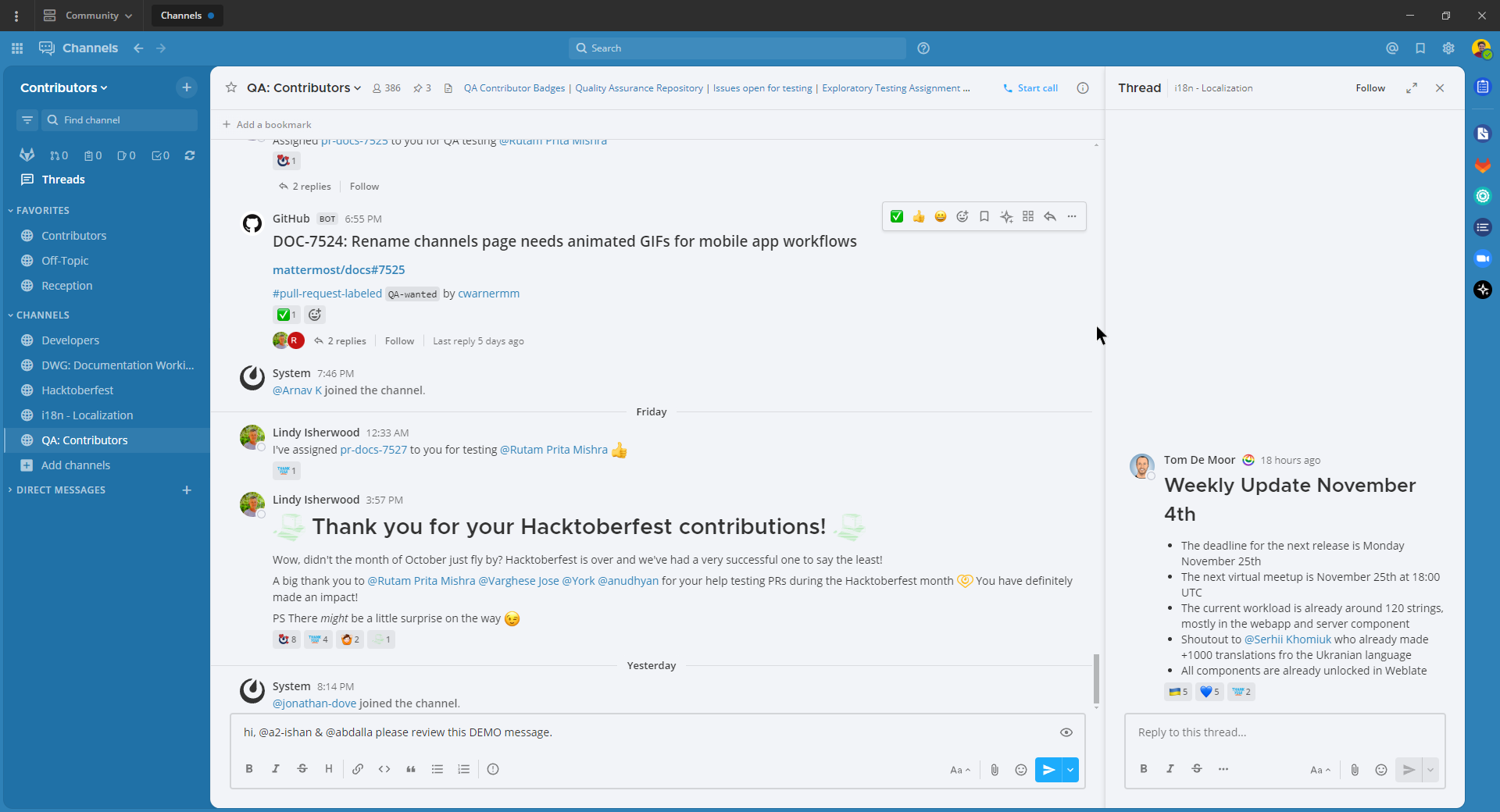
Want this theme? Copy and paste the following code into Origin by Corvus:
{"sidebarBg":"#2071a7","sidebarText":"#ffffff","sidebarUnreadText":"#ffffff","sidebarTextHoverBg":"#136197","sidebarTextActiveBorder":"#7ab0d6","sidebarTextActiveColor":"#ffffff","sidebarHeaderBg":"#2f81b7","sidebarTeamBarBg":"#256996","sidebarHeaderTextColor":"#ffffff","onlineIndicator":"#7dbe00","awayIndicator":"#dcbd4e","dndIndicator":"#ff6a6a","mentionBg":"#fbfbfb","mentionColor":"#2071f7","centerChannelBg":"#f2f4f8","centerChannelColor":"#333333","newMessageSeparator":"#ff8800","linkColor":"#2f81b7","buttonBg":"#1dacfc","buttonColor":"#ffffff","errorTextColor":"#a94442","mentionHighlightBg":"#f3e197","mentionHighlightLink":"#2f81b7","codeTheme":"github"}
Origin by Corvus Dark

Want this theme? Copy and paste the following code into Origin by Corvus:
{"sidebarBg":"#1b2c3e","sidebarText":"#ffffff","sidebarUnreadText":"#ffffff","sidebarTextHoverBg":"#4a5664","sidebarTextActiveBorder":"#66b9a7","sidebarTextActiveColor":"#ffffff","sidebarHeaderBg":"#1b2c3e","sidebarTeamBarBg":"#152231","sidebarHeaderTextColor":"#ffffff","onlineIndicator":"#65dcc8","awayIndicator":"#c1b966","dndIndicator":"#e81023","mentionBg":"#b74a4a","mentionColor":"#ffffff","centerChannelBg":"#2f3e4e","centerChannelColor":"#dddddd","newMessageSeparator":"#5de5da","linkColor":"#a4ffeb","buttonBg":"#4cbba4","buttonColor":"#ffffff","errorTextColor":"#ff6461","mentionHighlightBg":"#984063","mentionHighlightLink":"#a4ffeb","codeTheme":"solarized-dark"}
Windows Dark
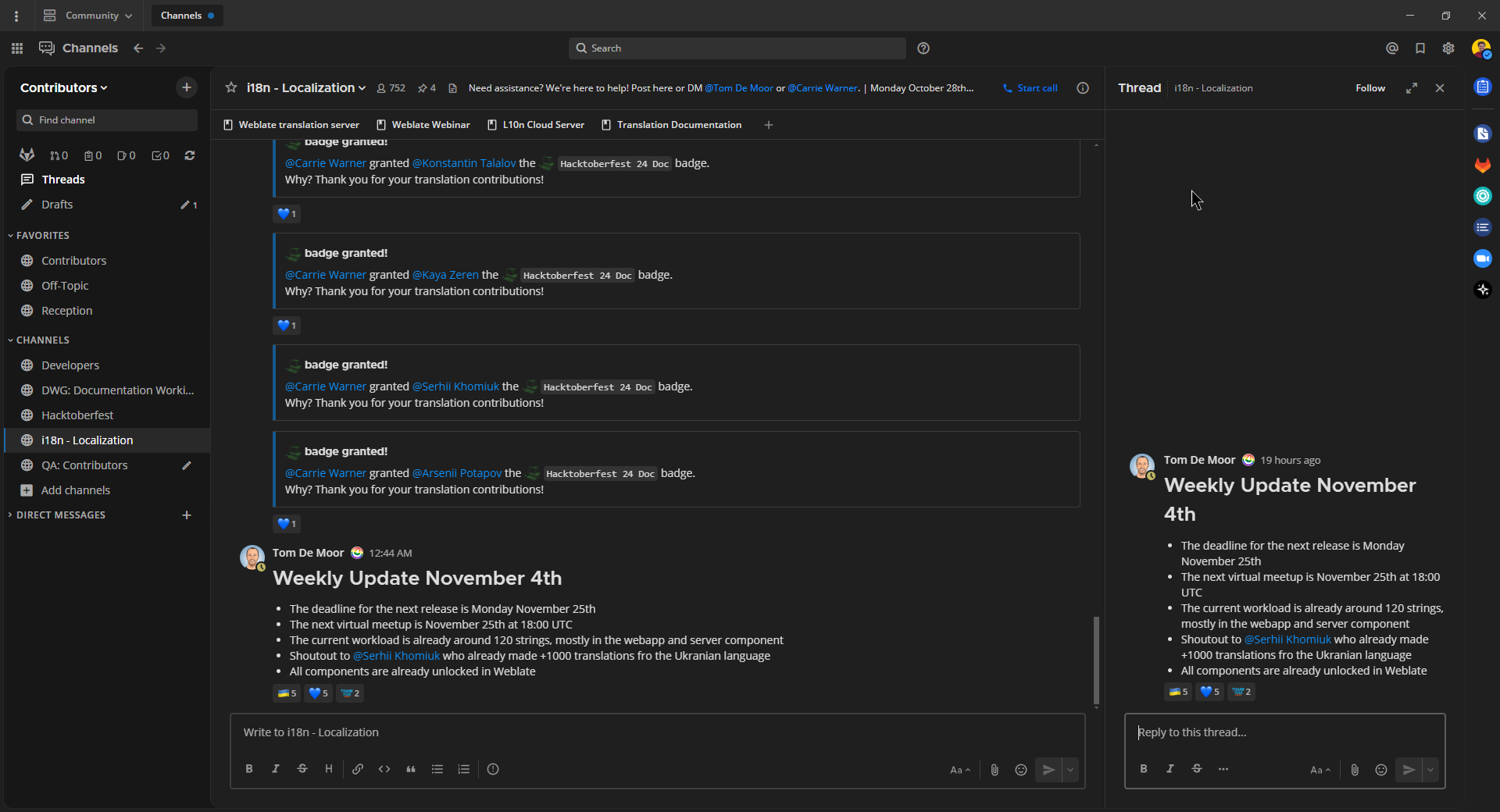
Want this theme? Copy and paste the following code into Origin by Corvus:
{"sidebarBg":"#171717","sidebarText":"#ffffff","sidebarUnreadText":"#ffffff","sidebarTextHoverBg":"#302e30","sidebarTextActiveBorder":"#196caf","sidebarTextActiveColor":"#ffffff","sidebarHeaderBg":"#1f1f1f","sidebarTeamBarBg":"#181818","sidebarHeaderTextColor":"#ffffff","onlineIndicator":"#399fff","awayIndicator":"#c1b966","dndIndicator":"#e81023","mentionBg":"#0177e7","mentionColor":"#ffffff","centerChannelBg":"#1f1f1f","centerChannelColor":"#dddddd","newMessageSeparator":"#cc992d","linkColor":"#0d93ff","buttonBg":"#0177e7","buttonColor":"#ffffff","errorTextColor":"#ff6461","mentionHighlightBg":"#784098","mentionHighlightLink":"#a4ffeb","codeTheme":"monokai"}
GitHub Theme
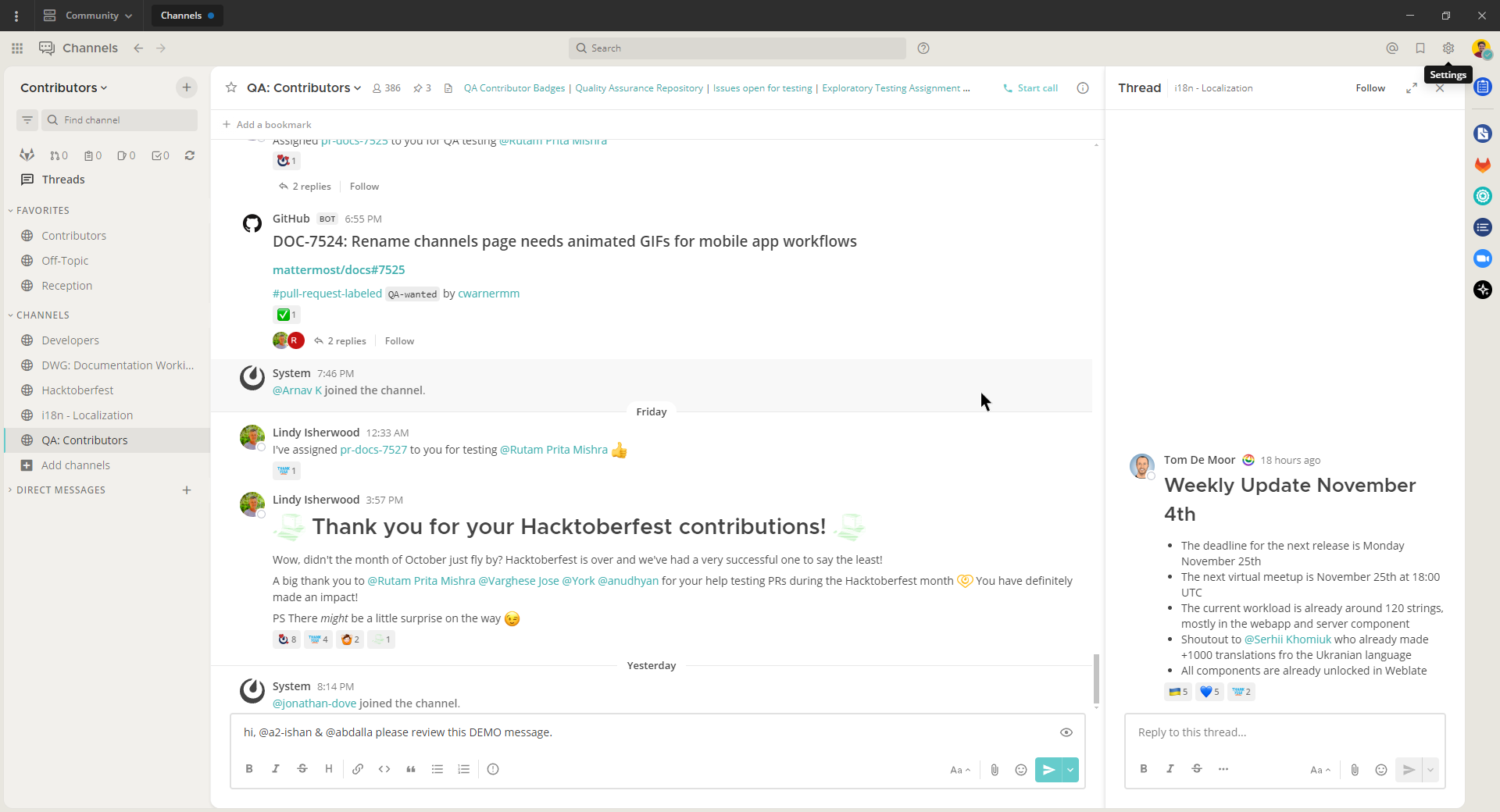
Want this theme? Copy and paste the following code into Origin by Corvus:
{"awayIndicator":"#D4B579","buttonBg":"#66CCCC","buttonColor":"#FFFFFF","centerChannelBg":"#FFFFFF","centerChannelColor":"#444444","codeTheme":"github","linkColor":"#3DADAD","mentionBg":"#66CCCC","mentionColor":"#FFFFFF","mentionHighlightBg":"#3DADAD","mentionHighlightLink":"#FFFFFF","newMessageSeparator":"#F2777A","onlineIndicator":"#52ADAD","sidebarBg":"#F2F0EC","sidebarHeaderBg":"#E8E6DF","sidebarHeaderTextColor":"#424242","sidebarText":"#2E2E2E","sidebarTextActiveBorder":"#66CCCC","sidebarTextActiveColor":"#594545","sidebarTextHoverBg":"#E0E0E0","sidebarUnreadText":"#515151"}
Monokai Theme
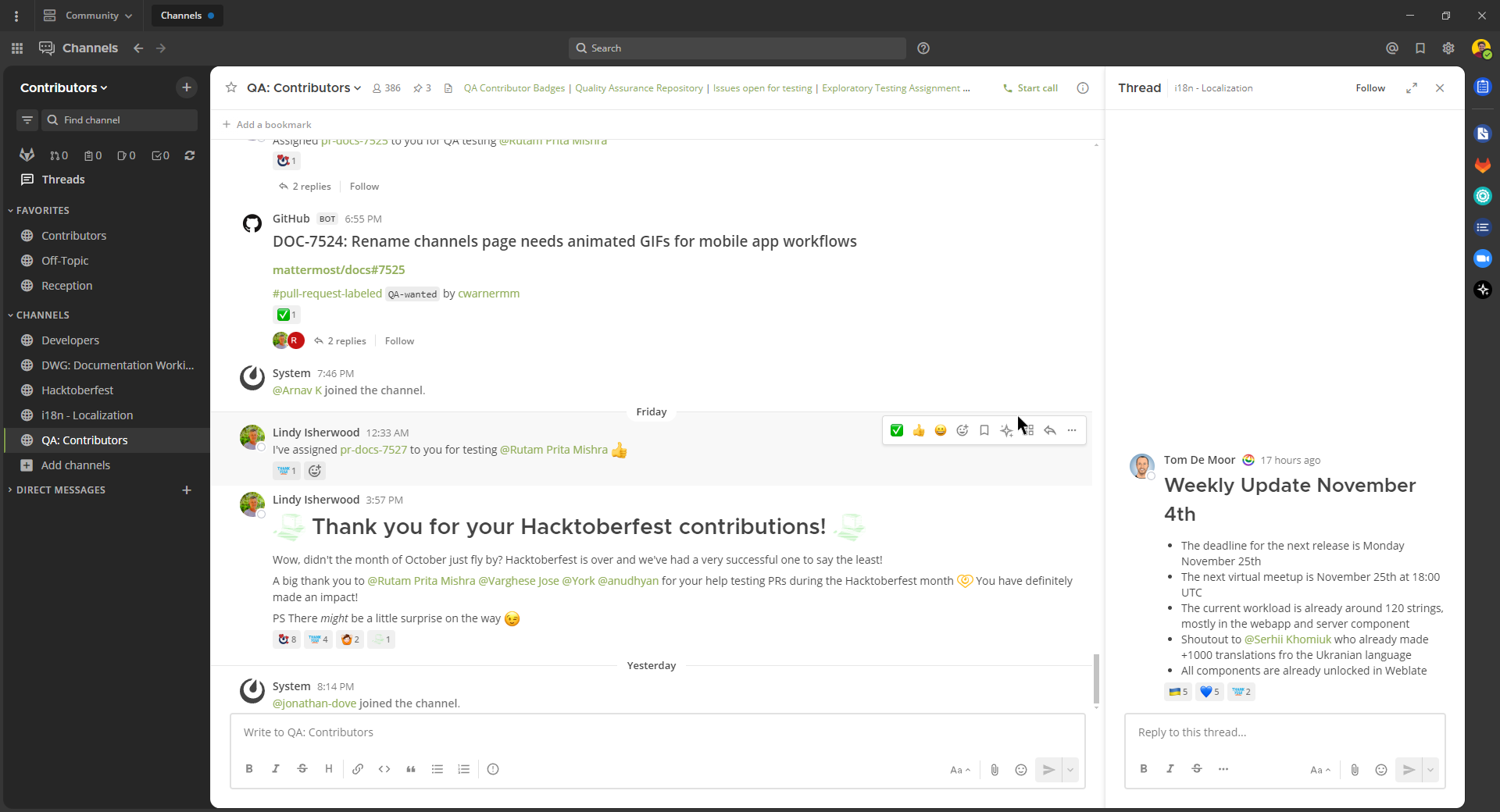
Want this theme? Copy and paste the following code into Origin by Corvus:
{"awayIndicator":"#B8B884","buttonBg":"#90AD58","buttonColor":"#FFFFFF","centerChannelBg":"#FFFFFF","centerChannelColor":"#444444","codeTheme":"monokai","linkColor":"#90AD58","mentionBg":"#7E9949","mentionColor":"#FFFFFF","mentionHighlightBg":"#54850C","mentionHighlightLink":"#FFFFFF","newMessageSeparator":"#90AD58","onlineIndicator":"#99CB3F","sidebarBg":"#262626","sidebarHeaderBg":"#363636","sidebarHeaderTextColor":"#FFFFFF","sidebarText":"#FFFFFF","sidebarTextActiveBorder":"#7E9949","sidebarTextActiveColor":"#FFFFFF","sidebarTextHoverBg":"#525252","sidebarUnreadText":"#CCCCCC"}
Solarized Dark Theme
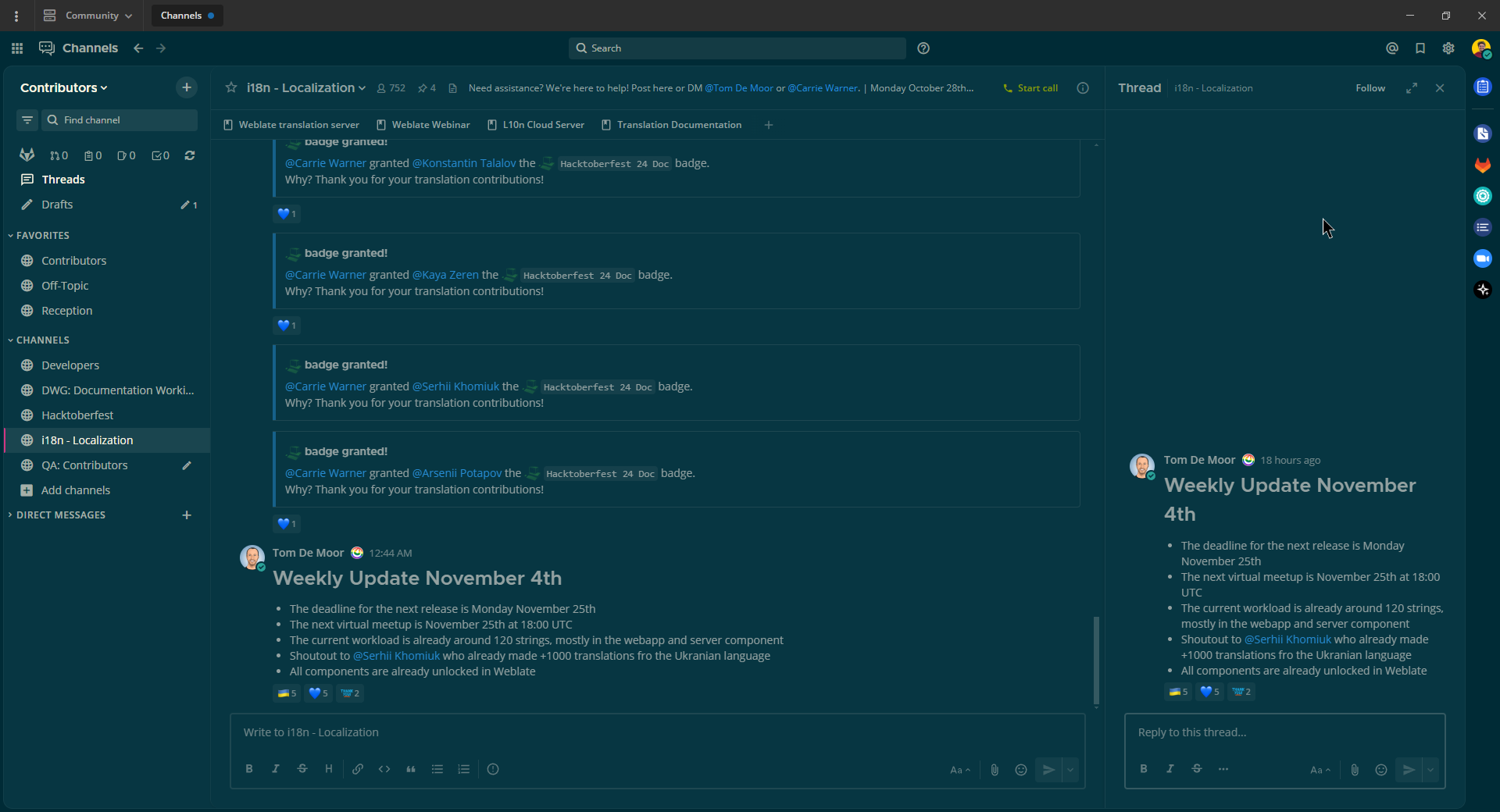
Want this theme? Copy and paste the following code into Origin by Corvus:
{"awayIndicator":"#E0B333","buttonBg":"#859900","buttonColor":"#fdf6e3","centerChannelBg":"#073642","centerChannelColor":"#93a1a1","codeTheme":"solarized-dark","linkColor":"#268bd2","mentionBg":"#dc322f","mentionColor":"#ffffff","mentionHighlightBg":"#d33682","mentionHighlightLink":"#268bd2","newMessageSeparator":"#cb4b16","onlineIndicator":"#2AA198","sidebarBg":"#073642","sidebarHeaderBg":"#002B36","sidebarHeaderTextColor":"#FDF6E3","sidebarText":"#FDF6E3","sidebarTextActiveBorder":"#d33682","sidebarTextActiveColor":"#FDF6E3","sidebarTextHoverBg":"#CB4B16","sidebarUnreadText":"#FDF6E3","errorTextColor":"#dc322f"}
Gruvbox Dark Theme
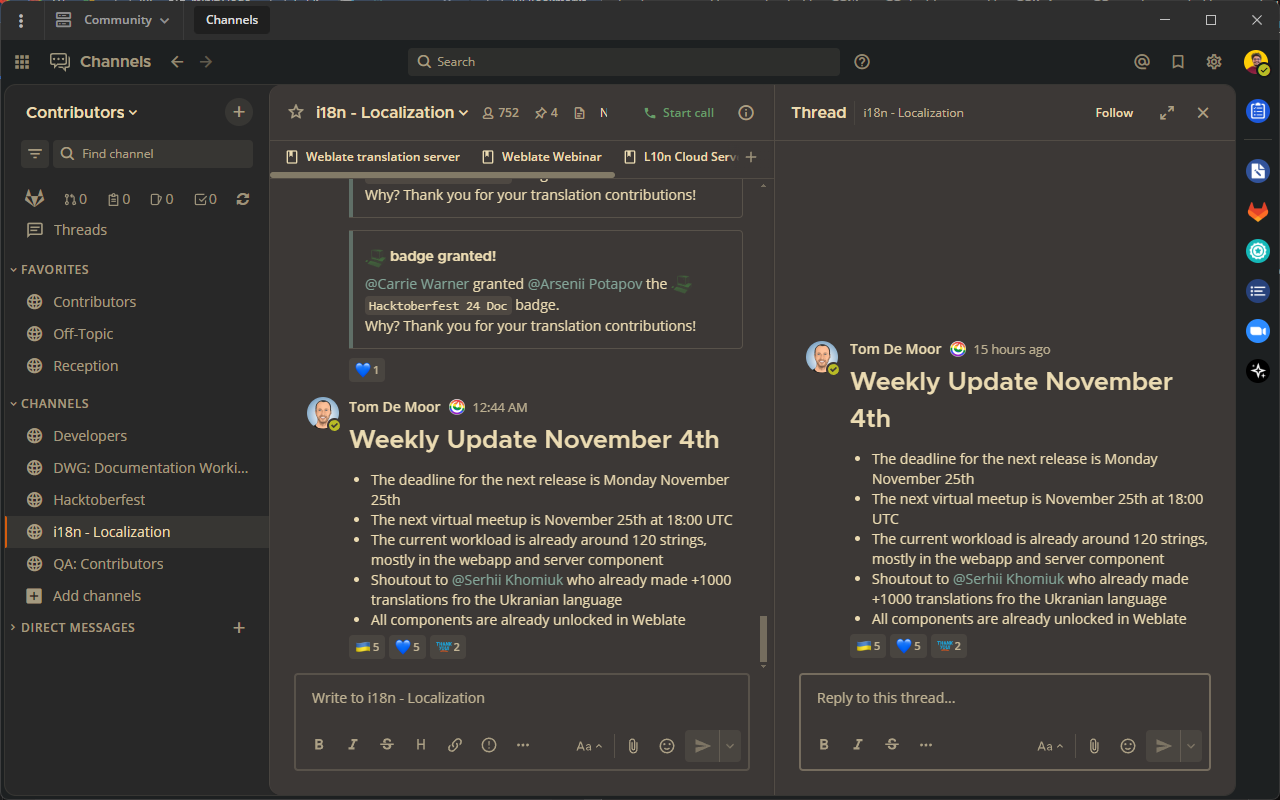
Want this theme? Copy and paste the following code into Origin by Corvus:
{"awayIndicator":"#fabd2f","buttonBg":"#689d6a","buttonColor":"#ebdbb2","centerChannelBg":"#3c3836","centerChannelColor":"#ebdbb2","codeTheme":"monokai","errorTextColor":"#fb4934","linkColor":"#83a598","mentionBg":"#b16286","mentionColor":"#fbf1c7","mentionHighlightBg":"#d65d0e","mentionHighlightLink":"#fbf1c7","newMessageSeparator":"#d65d0e","onlineIndicator":"#b8bb26","sidebarBg":"#282828","sidebarHeaderBg":"#1d2021","sidebarHeaderTextColor":"#ebdbb2","sidebarText":"#ebdbb2","sidebarTextActiveBorder":"#d65d0e","sidebarTextActiveColor":"#fbf1c7","sidebarTextHoverBg":"#d65d0e","sidebarUnreadText":"#fe8019"}
One Dark Theme
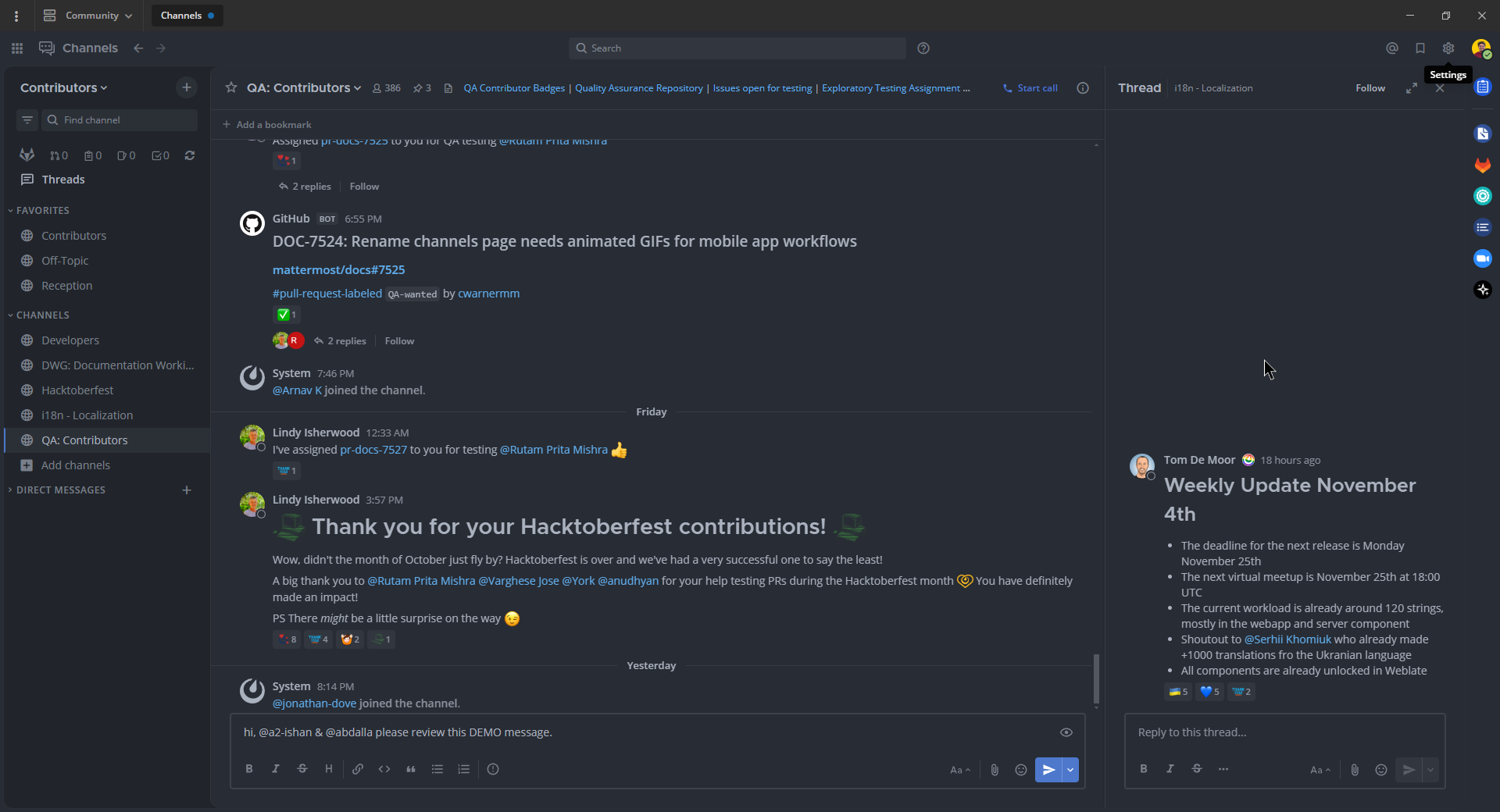
Visit the one-dark-origin GitHub repository online:
Want this theme? Copy and paste the following code into Origin by Corvus:
{"sidebarBg":"#21252b","sidebarText":"#abb2bf","sidebarUnreadText":"#abb2bf","sidebarTextHoverBg":"#3a3f4b","sidebarTextActiveBorder":"#4d78cc","sidebarTextActiveColor":"#d7dae0","sidebarHeaderBg":"#282c34","sidebarHeaderTextColor":"#abb2bf","onlineIndicator":"#98c379","awayIndicator":"#d19a66","dndIndicator":"#be5046","mentionBg":"#98c379","mentionColor":"#ffffff","centerChannelBg":"#282c34","centerChannelColor":"#abb2bf","newMessageSeparator":"#c67add","linkColor":"#61afef","buttonBg":"#4d78cc","buttonColor":"#ffffff","errorTextColor":"#f44747","mentionHighlightBg":"#525a69","mentionHighlightLink":"#61afef","codeTheme":"monokai","mentionBg":"#98c379"}
Discord Dark Theme (New)
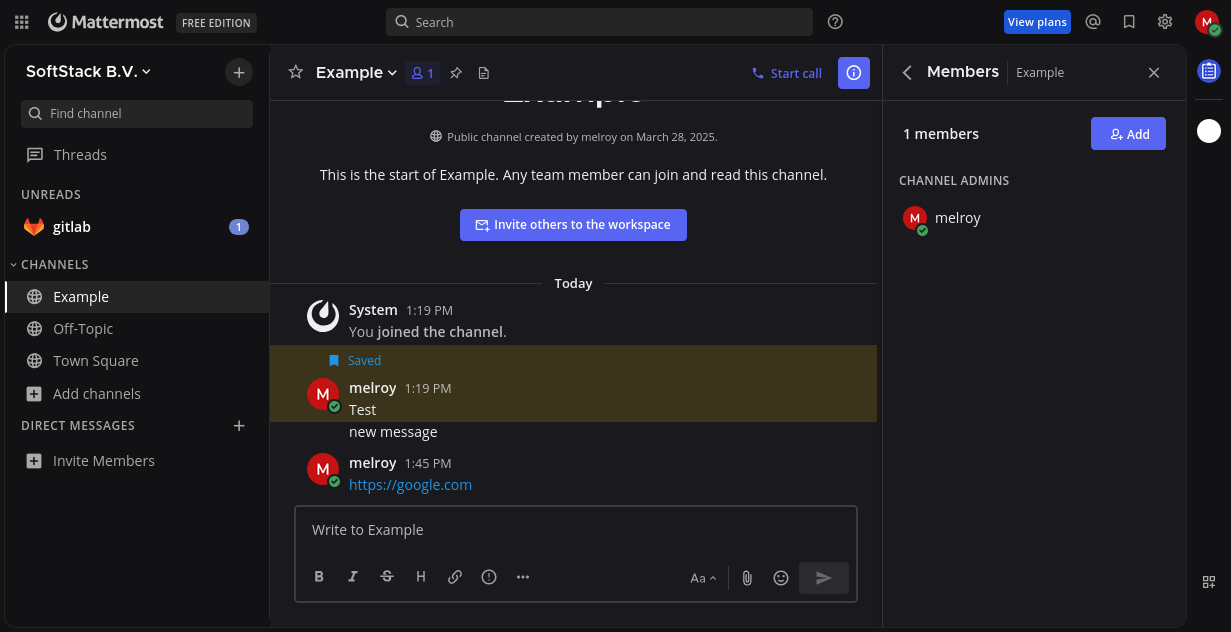
Visit the origin-discord-dark GitHub repository online:
Want this theme? Copy and paste the following code into Origin by Corvus:
{"sidebarBg": "#121214", "sidebarText": "#ffffff", "sidebarUnreadText": "#ffffff", "sidebarTextHoverBg": "#1d1d1e", "sidebarTextActiveBorder": "#ffffff", "sidebarTextActiveColor": "#ffffff", "sidebarHeaderBg": "#121214", "sidebarHeaderTextColor": "#ffffff", "sidebarTeamBarBg": "#121214", "onlineIndicator": "#43a25a", "awayIndicator": "#ca9654", "dndIndicator": "#d83a42", "mentionBg": "#6e84d2", "mentionBj": "#6e84d2", "mentionColor": "#ffffff", "centerChannelBg": "#1a1a1e", "centerChannelColor": "#efeff0", "newMessageSeparator": "#ff4d4d", "linkColor": "#2095e8", "buttonBg": "#5865f2", "buttonColor": "#ffffff", "errorTextColor": "#ff6461", "mentionHighlightBg": "#a4850f", "mentionHighlightLink": "#a4850f", "codeTheme": "monokai"}
Discord Dark Theme (Old)
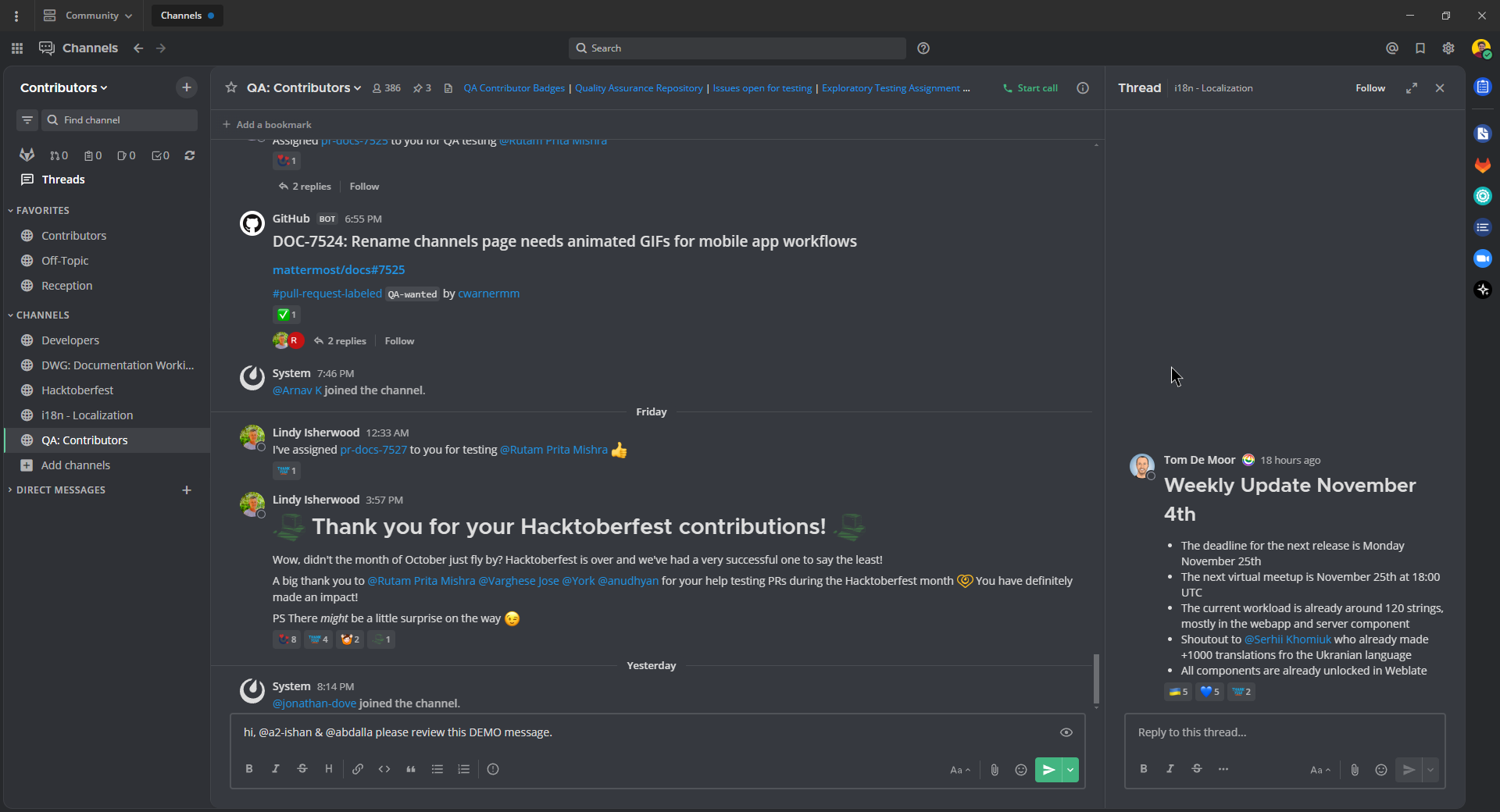
Visit the origin-discord-dark-old GitHub repository online:
Want this theme? Copy and paste the following code into Origin by Corvus:
{"sidebarBg":"#2f3136","sidebarText":"#ffffff","sidebarUnreadText":"#ffffff","sidebarTextHoverBg":"#33363c","sidebarTextActiveBorder":"#66cfa0","sidebarTextActiveColor":"#ffffff","sidebarHeaderBg":"#27292c","sidebarHeaderTextColor":"#ffffff","onlineIndicator":"#43b581","awayIndicator":"#faa61a","dndIndicator":"#f04747","mentionBg":"#6e84d2","mentionBg":"#6e84d2","mentionColor":"#ffffff","centerChannelBg":"#36393f","centerChannelColor":"#dddddd","newMessageSeparator":"#6e84d2","linkColor":"#2095e8","buttonBg":"#43b581","buttonColor":"#ffffff","errorTextColor":"#ff6461","mentionHighlightBg":"#3d414f","mentionHighlightLink":"#6e84d2","codeTheme":"monokai"}
Night Owl Dark Theme
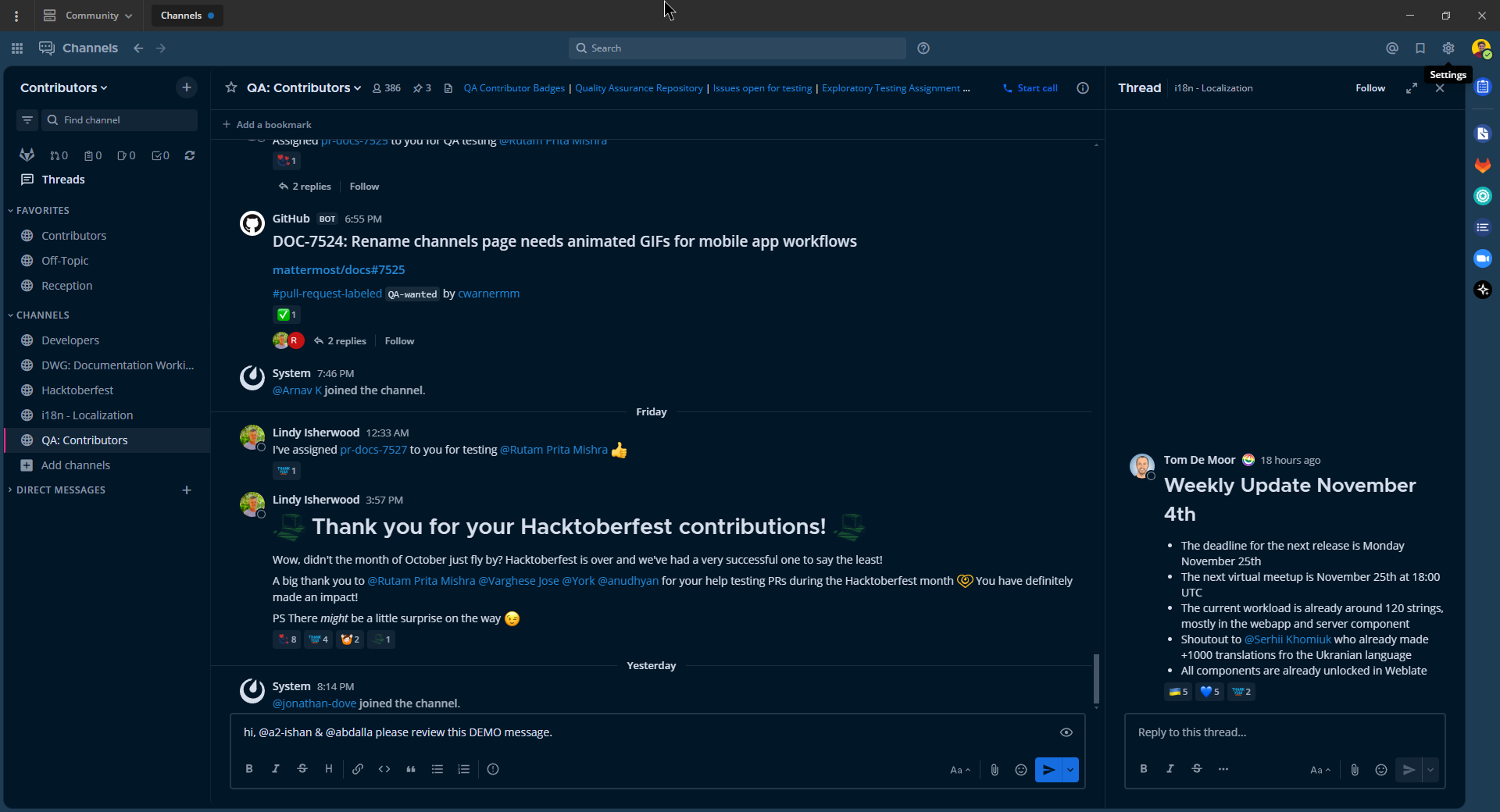
Want this theme? Copy and paste the following code into Origin by Corvus:
{"sidebarBg":"#011627","sidebarText":"#d6deeb","sidebarUnreadText":"#d6deeb","sidebarTextHoverBg":"#1d3b53","sidebarTextActiveBorder":"#ff2c83","sidebarTextActiveColor":"#82aaff","sidebarHeaderBg":"#1d3b53","sidebarHeaderTextColor":"#d6deeb","onlineIndicator":"#addb67","awayIndicator":"#ffbc42","dndIndicator":"#f74343","mentionBg":"#d6deeb","mentionBg":"#d6deeb","mentionColor":"#145dbf","centerChannelBg":"#011627","centerChannelColor":"#d6deeb","newMessageSeparator":"#ff8800","linkColor":"#2389d7","buttonBg":"#166de0","buttonColor":"#011627","errorTextColor":"#fd5960","mentionHighlightBg":"#0b2942","mentionHighlightLink":"#82aaff","codeTheme":"solarized-dark"}
Dark Theme (desktop app only)
On Windows and macOS, the system display preference that you set on your computer (e.g., Light Mode or Dark Mode) is also applied to the Origin by Corvus desktop app. On Linux, manage this manually via the View menu.
Export your custom theme
Export a theme from Origin by Corvus by copying the theme values from the Custom Theme menu.
Import a custom theme
Import a theme into Origin by Corvus by pasting the theme values into the Custom Theme menu. Copy existing theme values, then paste the theme values into the Copy and paste to share theme colors field. Select Save to confirm your theme changes.
Sidebar styles
You can customize every aspect of your Origin by Corvus theme, as described below:
Sidebar BG
Background color of the Channels pane, and Account and Team settings navigation sidebars.
Sidebar Text
Text color of read channels in the Channels pane, and tabs in the Account and Team settings navigation sidebar.
Sidebar Header BG
Background color of the header above the Channels pane and all dialog window headers.
Team Sidebar BG
Background color of the Global Header.
Sidebar Header Text
Text color of the header above the Channels pane and all dialog window headers.
Sidebar Unread Text
Text color of unread channels in the Channels pane.
Sidebar Text Hover BG
Background color behind channel names and settings tabs as you hover over them.
Sidebar Text Active Border
Color of the rectangular marker on the left side of the Channels pane or Settings sidebar indicating the active channel or tab.
Sidebar Text Active Color
Text color of the active channel or tab in the Channels pane or Settings sidebar.
Online Indicator
Color of the online indicator appearing next to team members names in the direct messages list.
Away Indicator
Color of the away indicator appearing next to team members names in the direct messages list when they have had no browser activity for 5 minutes.
Do Not Disturb Indicator
Color of the do not disturb indicator appearing next to team members names in the direct messages list.
Mention Jewel BG
Background color of the jewel indicating unread mentions that appears to the right of the channel name. This is also the background color of the “Unread Posts Below/Above” indicator appearing at the top or bottom of the Channels pane on shorter browser windows.
Mention Jewel Text
Text color on the mention jewel indicating the number of unread mentions. This is also the text color on the “Unread Posts Below/Above” indicator.
Center channel styles
You can customize every aspect of your Origin by Corvus theme, as described below:
Center Channel BG
Color of the center pane, right-hand sidebar and all dialog window backgrounds.
Center Channel Text
Color of all the text - with the exception of mentions, links, hashtags and code blocks - in the center pane, right-hand sidebar, and dialogs.
New Message Separator
The new message separator appears below the last read message when you navigate to a channel with unread messages.
Error Text Color
Color of all error text.
Mention Highlight BG
Highlight color behind your words that trigger mentions in the center pane and right-hand sidebar.
Mention Highlight Link
Text color of your words that trigger mentions in the center pane and right-hand sidebar.
Code Theme
Background and syntax colors for all code blocks.
Link and button styles
You can customize every aspect of your Origin by Corvus theme, as described below:
Link Color
Text color of all links, hashtags, teammate mentions, and low priority UI buttons.
Button BG
Color of the rectangular background behind all high priority UI buttons.
Button Text
Text color appearing on the rectangular background for all high priority UI buttons.